
Information
Boom – The Video App for Serious Presenters
Present, record, and look incredible on camera—no editing required.
Boom is a Mac-native video app for coaches, creators, founders, and anyone who presents on camera. Combine your screen and camera in professional layouts, switch scenes while you present, and export polished videos without touching a timeline.
THE PROBLEM WITH VIDEO TOOLS
Live tools like OBS force you into complex setups with scenes, plugins, configs. Recording tools like Loom are too basic, and pro editors shove you into timelines after the fact. Both break your flow. Both slow you down. So we built something new.
RECORD WITHOUT EDITING
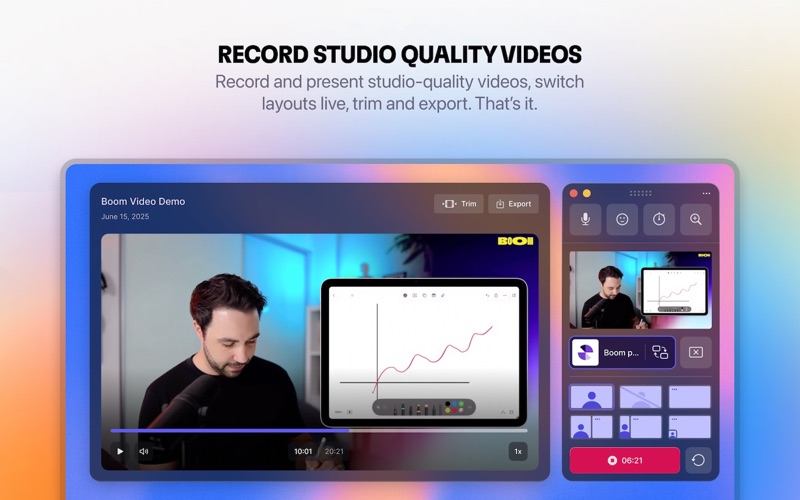
Boom is a live-first screen recorder. The editing happens while you record, not after. Switch between full screen, split screen, and picture-in-picture with a click. Add cinematic zooms, smooth transitions, and GIF reactions in real time. Your video is finished the moment you stop talking. No timeline. No rendering. No post.
PRESENT LIVE
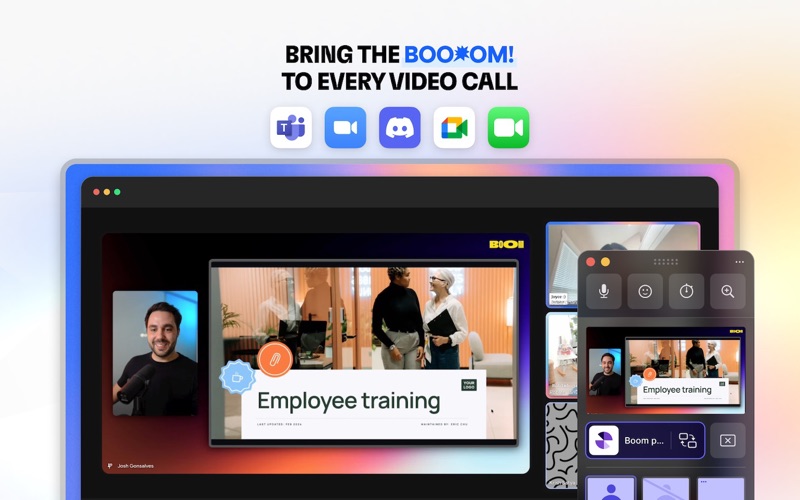
Everything Boom does while recording, you can do live, inside Zoom, Google Meet, Teams, or any streaming app. Switch layouts mid-presentation. Overlay your camera on slides. Add your logo, timers, and branded backgrounds. No more “can you see my screen?” moments. Workshops feel dynamic. Demos feel premium. Sales calls feel produced.
LOOK INCREDIBLE ON CAMERA
AI-powered enhancements tuned for live video: natural skin smoothing, depth blur, smart virtual backgrounds, and color correction. Works with any camera, built-in FaceTime, Logitech, Elgato, or your iPhone via Continuity Camera. This isn’t AI slop. This is AI that makes your human energy stand out.
WORKS EVERYWHERE
Seamless integration with Zoom, Google Meet, Microsoft Teams, Riverside, Discord, and any app that uses your camera.
BUILT FOR MAC
Native macOS performance. Real-time video processing. The power of OBS without the setup. The polish of pro editors without the editing.
→ Try Boom free. Unlock pro features with a subscription.
What’s New
WHAT’S NEW IN V2.1.0 YOUR STREAM DECK JUST GOT SUPERPOWERS We rebuilt our Stream Deck plugin from the ground up. It’s faster, smarter, and way more powerful. One tap. Boom! · Start and stop recording: record videos without touching your Mac · Swap layouts: switch between your scenes mid-recording or while presenting · Cinematic zoom: punch in for dramatic effect · Quick Share: share your current window, display, or mobile device with a single tap Plus, the Stream Deck now stays in sync with Boom, so your buttons always reflect what’s actually happening. No more guessing. BUG FIXES & IMPROVEMENTS · Fixed cinematic zoom when sharing a display · Updated the recording timer to use monospaced digits · Fixed a bug where the background picker was getting cut off · Presentations no longer end when switching content while on cam on / off layouts We’d love to hear what you think! Reach out to us at [email protected].


