
Information
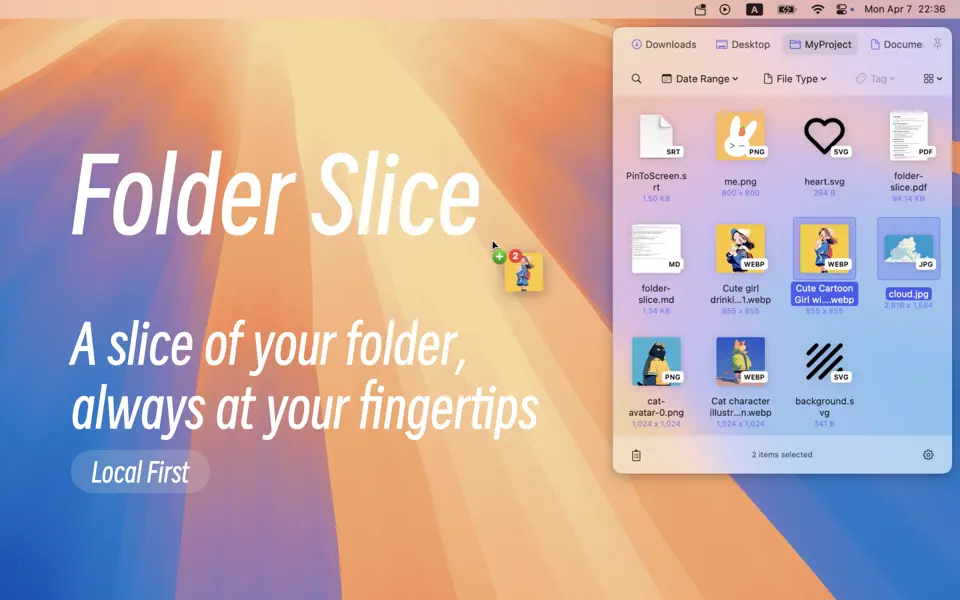
Folder Slice brings you a brand new experience: instantly call up a floating file window anytime, anywhere.
No need to switch windows. Quickly search, preview, and drag files with ease, making file access more efficient and seamless than ever before.
Do you often find your workflow interrupted just to search for a file?
# Boost Your Daily Productivity
– Instantly bring up the floating file window by flicking your mouse to the screen edge or with a single shortcut. Access your files from any desktop without missing a beat.
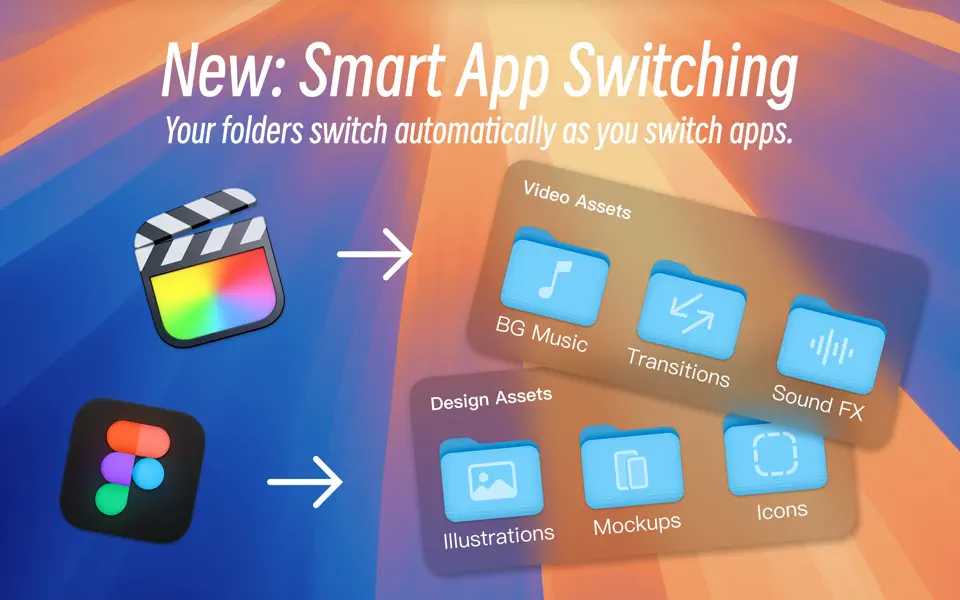
– Create multiple folder groups that can be switched manually for different scenarios, or switched automatically based on the current application.
– Quickly filter your favorite folders and files, locate what you need in seconds, and say goodbye to endless Finder switching.
– Customize folder sorting and filtering, pin frequently used files, and keep reference files fixed on your desktop. Every step flows naturally for a smoother workflow.
– Drag files directly into Word, Keynote, Mail, and other productivity apps to streamline your daily work.
– Efficient toolkit: Includes background removal for images, OCR for image text, format conversion, custom folder icons, video compression, pinning frequently used files to the top of folder, pinning files to the desktop… These practical features meet various needs in daily work and quick file handling.
# Asset Mode, Made for Creators
– Asset Mode and Smart Folders let you organize images, videos, audio, and more, making it easier than ever to find what you need.
– Multi-level tagging system for lightning-fast asset retrieval, even in complex projects. Supports multiple selection.
– Hover to preview images, videos, MID, SRT, FCPXML, Markdown, and many other professional formats.
– Creator toolkit: batch format conversion, SRT to FCPXML, video compression, audio extraction, background remover, OCR… These tools make your creative workflow faster than ever.
# Customizable Experience & More Tools
– Personalize everything, including window position, trigger style, shortcuts, and more, to fit your unique workflow.
– Discover more powerful tools and thoughtful details as you explore.
– All operations are performed locally. Your data stays private and secure with no cloud uploads.
# Folder Slice Start Your Efficient, Focused Workflow Now
If you want to make file access truly efficient, give Folder Slice a try. We hope it helps you stay focused on what matters, skip the tedious steps, and spend more time creating and enjoying life!
# Folder Slice Free Features
– Quick access to 1 folder
– Basic file operations
– Global keyboard shortcuts
# Folder Slice Premium Features
– Access up to 12 favorite folders
– Power features: Enhanced display, Pin window…
– Customize: Window position, Shortcuts…
– Pro toolkit: Auto preview, Format conversion…
– Efficient Creation: Asset Mode × Multi-level Enhanced Tagging
– All future Premium features
# Terms Of Use
https://www.apple.com/legal/internet-services/itunes/dev/stdeula/
# Privacy Policy
https://folderslice.com/privacy-policy


