
Information
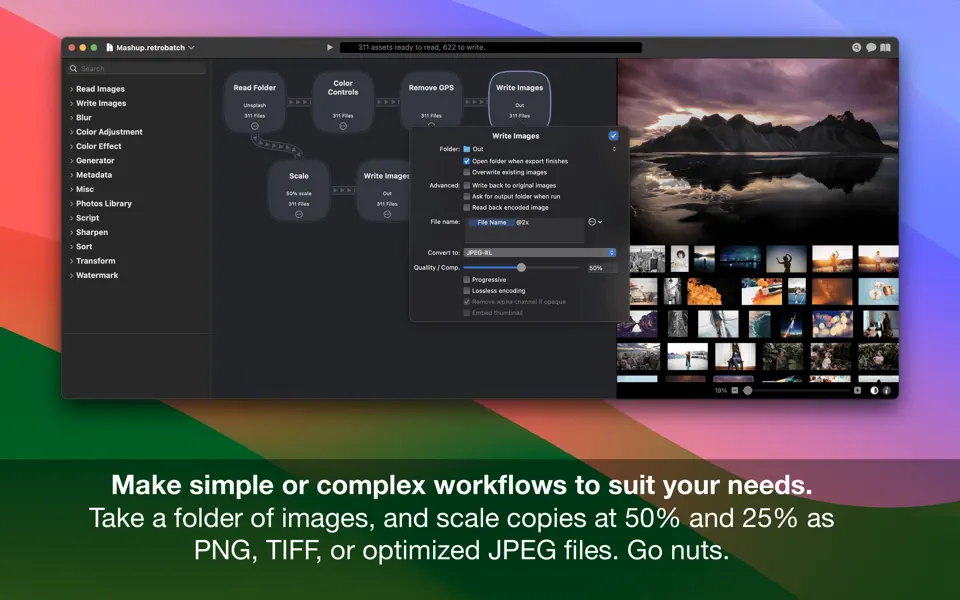
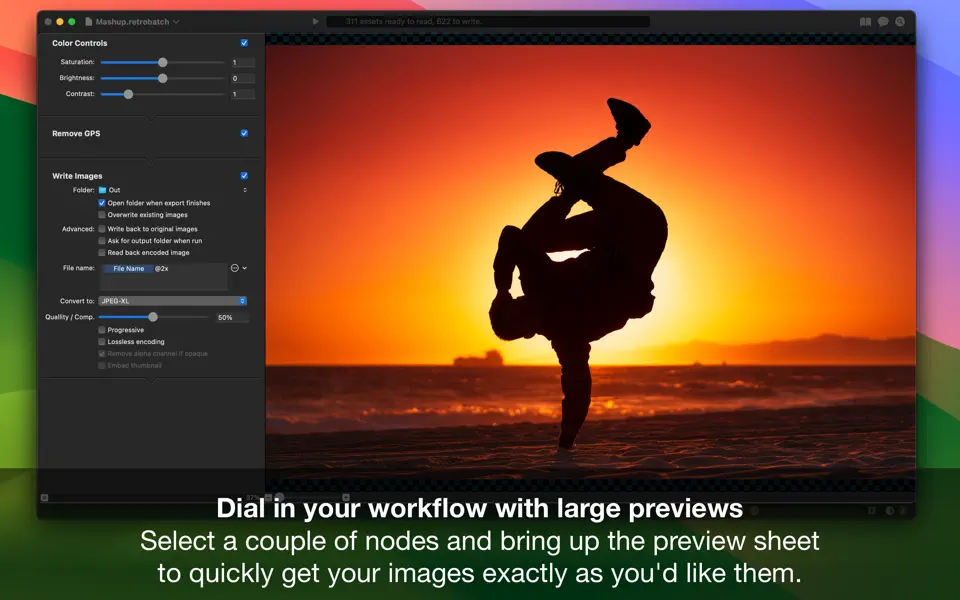
Retrobatch Pro is a flexible node based batch image processor, which means you can mix, match, and combine different operations together to make the perfect workflow.
Once you start the free trial or subscription, you get all these great features:
# It’s Super Charged
There’s a node for every option. Change the DPI, rotate, incorporate Machine Learning, and add custom behaviors with JavaScript to name just a few. Optimize your images for fast delivery over the Internet.
# Batch Process
Process one image or thousands of images, with support for reading and writing common file formats. Create multiple inputs and multiple outputs.
# Retrobatch Pro Metadata – Edit, Add, and Wipe
• Remove and add location data such as GPS coordinates.
• Add copyright tags, author information, and more to your images.
• Remove all metadata tags prior to uploading images to social media sites.
• Filter out images based on image dimensions, megapixels, file format, or other criteria.
• Do all this, without changing and recompressing image data, keeping image fidelity 100% intact.
# Retrobatch Pro Transform – Resize, Crop, Trim, and Rotate.
• Trim all transparency from the edges of images.
• Rotate images by any amount.
• Crop images by a fixed amount, percentage of width or height, anchored to edges, or by aspect ratio.
• Scale your images and write out optimized @2x versions of your images.
• Retrobatch is great for quickly preparing images for web and app development.
# Convert – Color Profiles, Formats, and More.
• Convert images to HEIC, JPEG, JPEG-XL, PDF, PNG, WebP, or TIFF.
• Rewrite HEIC images to JPEG and other formats.
• Edit, assign, or strip color profiles from your images.
• Assign Display P3 profiles to images, and write the images with a _dp3 suffix.
• Convert images to or from CMYK, sRGB, Display P3, or Grayscale.
• Brute force crush PNG files, or create indexed 8 bit PNG images.
• Split and separate multipage and multilayer images into single images.
# Watermark – Text and Images.
• Use Retrobatch to watermark your images in a variety of ways.
• Adjust watermark transparency, blending mode, and placement.
• Use metadata tags to watermark, including image capture date, file name, author, and many more.
# Retrobatch Pro Photo Effects, Filters, and Blurs.
• Apply filters such as Film Grain, Grayscale, Chrome, Fade, Instant, Mono, Noir, Process, Sepia, Tonal, and Transfer.
• Add borders and drop shadows to your images.
• Add gaussian or box blurs.
• Remove noise from photos, or use sharpen filters.
• Use the matte node to remove transparency from images.
• Invert color negatives or create color negatives.
# Retrobatch Pro Machine Learning and Super Resolution
• Super-resolution image scaling, powered by alien technology nobody really understands.
• Auto-straighten images with the new Auto Level node.
• Recognize text in images and filter images using the Rules node or via JavaScript.
• Use rules to remove images from your workflow based on attributes such as color profile, file format, size, and orientation.
• Take advantage of machine learning to classify your image for processing.
# Retrobatch Pro JavaScript and Automation
• Run Retrobatch workflows via Shortcuts.
• Create and distribute custom plug-ins written in JavaScript.
• Write scripts to extract or alter meta-data.
# Retrobatch Pro Screenshots, Symlinks, Clipboard.
• Watch the clipboard and automatically run a workflow when a new image is copied to it.
• Create a workflow to capture all the open windows on your Mac, and write them out as individual PNGs, or a multilayered PSD.
• Export all your Selfies from Photos, resize, and apply filters.
• Split out images from animated GIFs, PNGs, multipage TIFF files, PDF pages, and ICNS files into individual images.
• Read an image from the clipboard, apply a drop shadow, and write it right back to the clipboard to paste into another app.
• Read an image from the clipboard, add a watermark, and write it out to a folder to upload to an online service.
Privacy and Terms of Use: https://flyingmeat.com/privacy/


