
Information
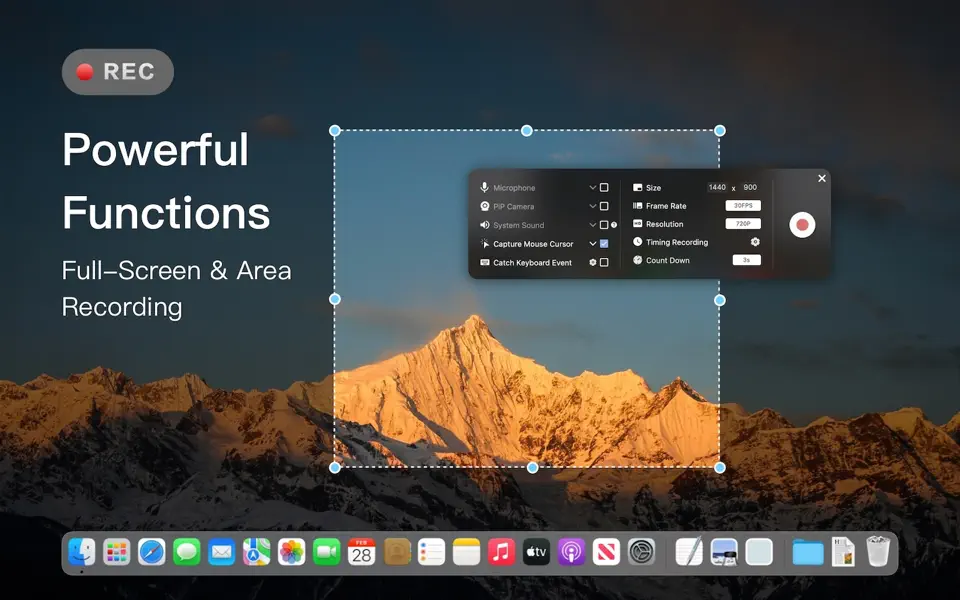

Screen Recorder for Mac is a powerful tool that allows you to quickly and easily capture your computer screen in high-quality video format.
With just one click, you can record the full screen, a designated area, or footage from your camera. Your recordings will be saved in MP4 format, making it easy to share with others.
Key Features:
* Full Screen Recording
* Area Recording
* Camera Recording
* Window Recording (for macOS 12.3 and above)
* App Recording (for macOS 12.3 and above)
* Voice Recording
* Camera Picture-in-Picture
* Camera Virtual Background (for macOS 12.0 and above)
* System Sound Recording (with separate sound driver plugin download and installation required)
* Mouse Click Event Recording
* Key press Event Recording
* Draw on screen during recording.
* Customizable Recording Screen Size
* Selectable Frame Rate
* Adjustable Recording Resolution
* Specified Recording Duration
* Built-In Video Editor
* Customizable Shortcut Keys
Screen Recorder for Mac offers the following options for upgrading to VIP service. With VIP service have access to all advanced services.
Service: Upgrade to VIP to get unlimited access
One-time purchase for lifetime access
Monthly subscription
Yearly subscription
Price may vary by location.
Privacy Policy and Terms of Use
https://docs.google.com/document/d/1eNiz0I03h2Nn93Q3uhtQESO9OzbS_TlglKZ40hPnXl0/edit?usp=sharing
https://docs.google.com/document/d/1Dcg9cgQ7sWhTo34wQp1dUh7kKVvljLC8doE295Am5gU/edit?usp=sharing


